By
Emre Toptanci
on 18/09/2026, 15:09
Last updated on 10/27/26, 11:20 PM

Every team is unique, yet we often try to force our messy, human, and wonderfully complex workflows into rigid software constraints. We want the system to be our shepherd. We have all been there: starting with a default Jira board but customizing the configuration to the point that leaves no headroom, and wondering why things don’t work.
While Jira provides a powerful foundation, whether you are running time-boxed Scrum sprints or keeping a continuous flow with Kanban, the magic truly happens when you stop over-customizing the tool on day one and try to discover a fluent process step-by-step. Don’t try to control everything. Give the teams freedom to experiment to build the most effective and most efficient process.
So we decided to experiment. Here is a look at how our software and product development team at OBSS Apps customized our Jira boards to match our actual day-to-day reality, prioritizing flexibility, collaboration, and a healthy dose of control.
This is definitely not a one-size-fits-all recipe. It is merely an example in a sea of possibilities that someone might get inspiration from.
A Case Study: How We Tailored Our Workflow
There is no single correct way to use Jira Boards. Every team can configure their boards according to their own process, cycles, team structure, and way of working. Jira Boards offer configuration options flexible enough to support vastly different teams and working styles. In the specific example of a software and product development team, the configuration was designed to meet our needs below.
How we work
First of all, we take a task-oriented approach, moving our work forward incrementally. Every task passes through multiple stages, such as development, testing, documentation, and release preparation. However, there are no hard lines between these stages. Most of the time, these phases overlap. For example, while testing continues, the development team might be resolving initial findings, and the analysis team might be finalizing the documentation.
A single task can require the contribution of multiple people. Similarly, every team member might contribute to different tasks in parallel. The owner of one task can be a contributor for another.
We do not strictly enforce the rule that every item must be a user story and create value for the customer. Sometimes, we open items for internal team tasks. However, it is important that each item represents a complete, organized piece of work on its own and is something that can be released independently when finished. Similarly, every piece of work, no matter how small, must be represented by a work item on the board.
A release may be the deployment of a software package or maybe just publishing a document. Finished tasks wait in a queue for release, and we typically deploy them as a group. Depending on the situation, a single task can have its own release. The team does not follow a strict release cycle, but it is necessary to see and track the tasks waiting for release.
During daily meetings, the goal is to get a few words from each team member and hear their comments on each task they are contributing to.
The Trial-and-Error Philosophy
We know that building a process is a human-centric, trial-and-error effort. Even the simplest friction points can prevent a process that looks perfect on paper from functioning in practice. For this reason, we targeted a lightweight configuration and a lightweight process. We preserved the practices that worked well and rapidly changed the things that did not.
We worked with out-of-the-box Jira functionality as much as possible and avoided using apps for simple needs. After the overall process settles, we can always acquire apps to optimize specific points. This doesn't mean we avoid apps completely. It just means we prefer to run operations manually for a while, to confirm that the process works, before buying an add-on.
The Solution
We are using a Jira Kanban Board for this process. We open a Jira work item for every task we need to do.
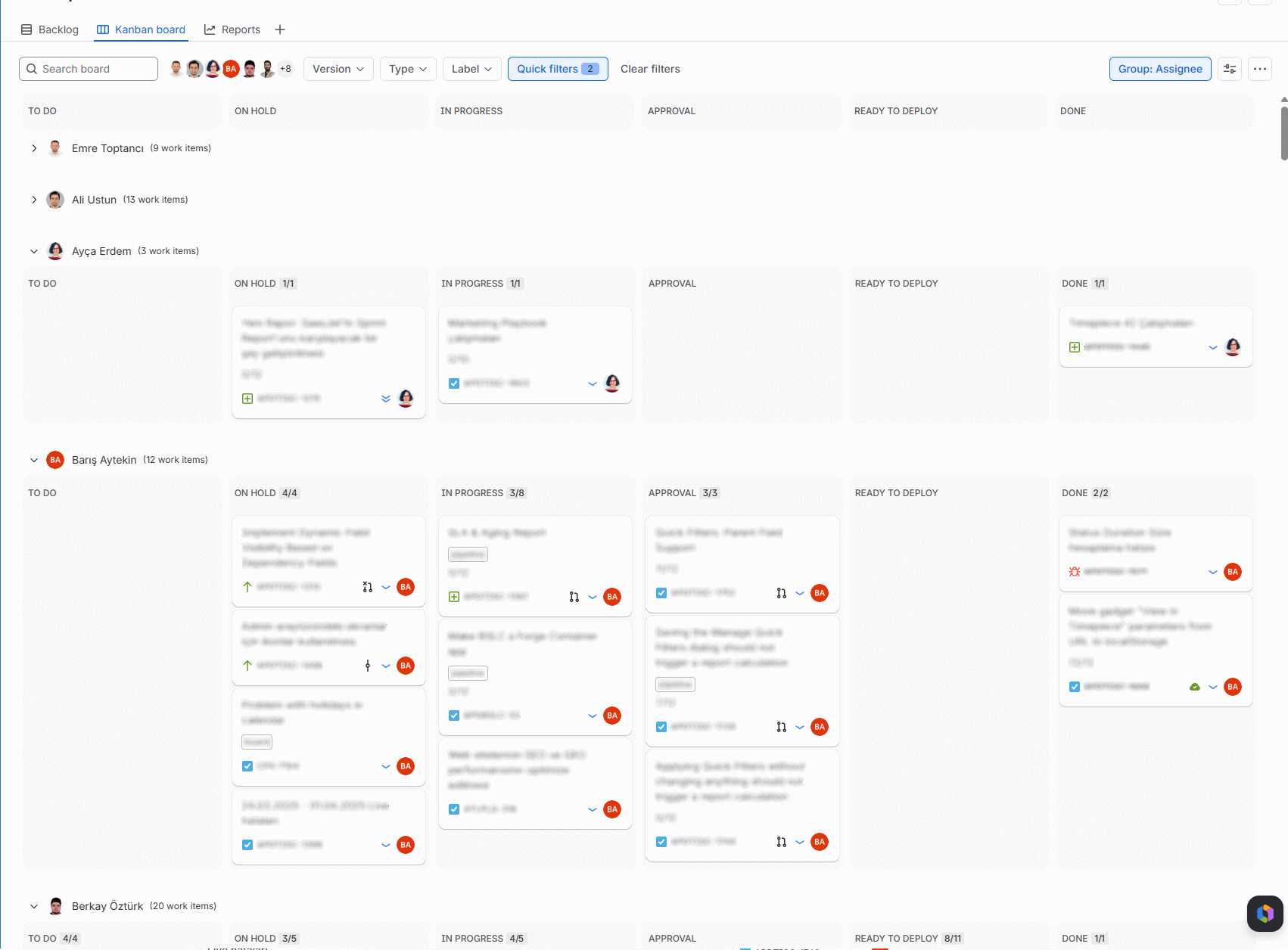
We use the 'Assignee' and 'Participants' fields for task assignments. "Assignee" is the standard system field provided by Jira. "Participants" is a custom field we created, and it is a multi-user picker.
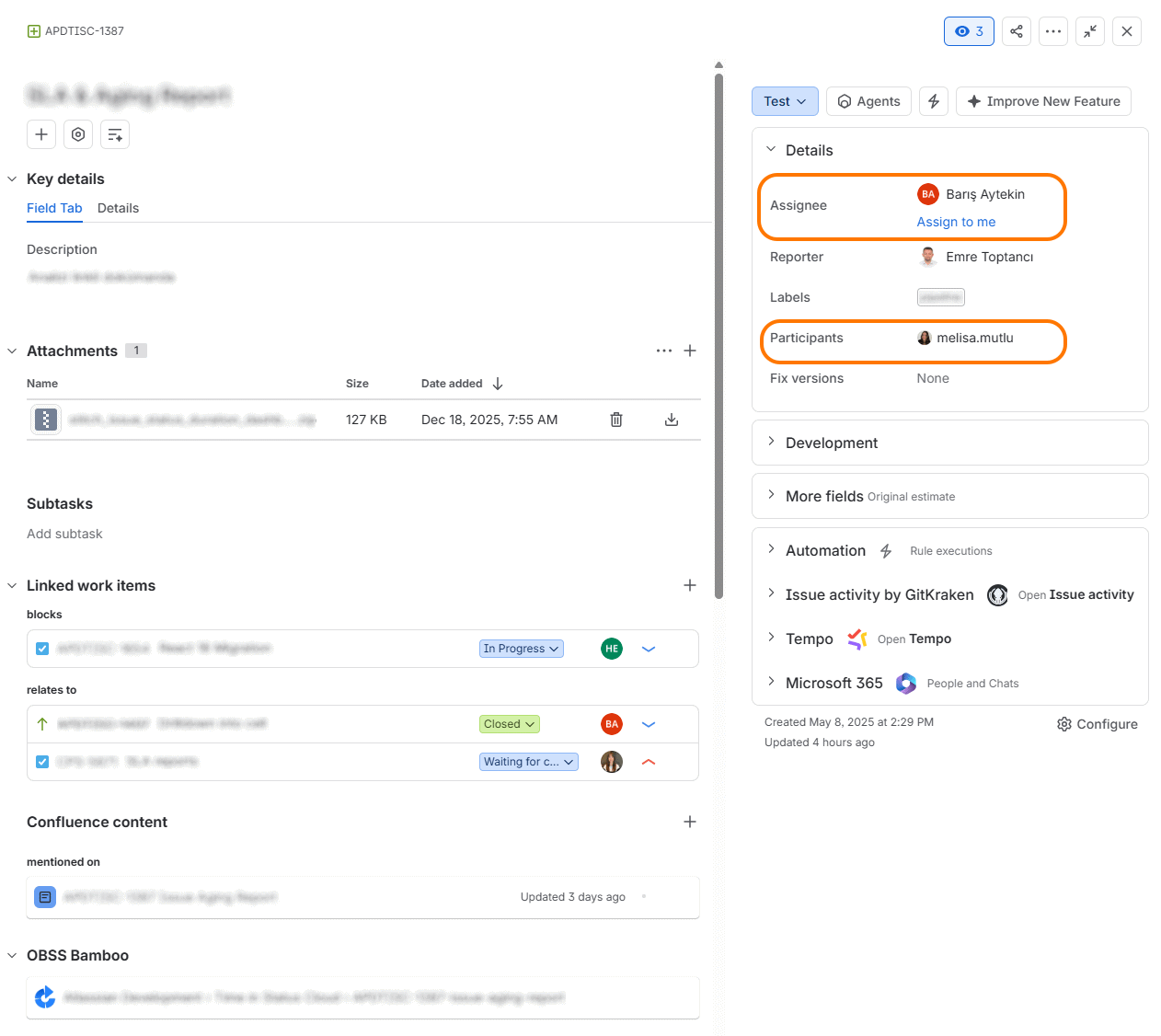
We keep tasks in the backlog as 'Unassigned’. When starting a task, we select an owner and assign the work item to the owner. The owner of the record is responsible for following all stages of that work and ensuring that it reaches a conclusion. This means that while making their own contribution, owners are also tracking what is expected from others within the scope of that task and monitoring their progress. Generally, the person with the most detailed knowledge about the task is selected. The assignee does not change throughout the life of the item and all process steps. (Occasionally, it can change if the ownership of the work is entirely handed over to someone else).
We use the ‘Participants' field to include other contributors. Addition to and removal from the Participants field are much more flexible. When someone is given a responsibility within the scope of a task, they are added to the Participants field, and when they have nothing else to do on that task, they can be removed.
Board Organization
The board is grouped and organized based on the Assignee. Therefore, all the records owned by each team member stay together in one place.
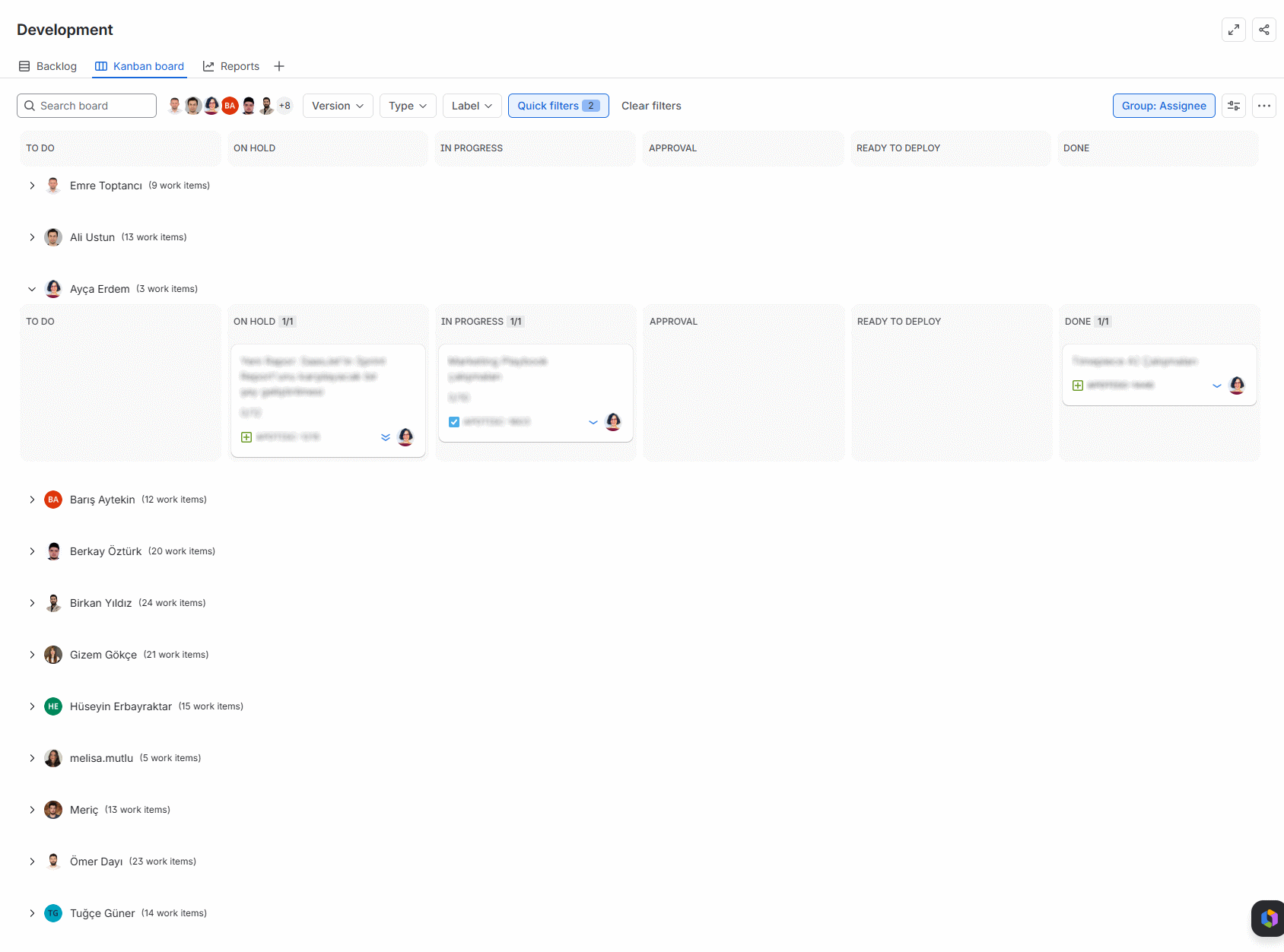
Quick Filters are defined for each team member in the following format:
assignee = firstname.lastname OR participants = firstname.lastname
This setup shines during our daily meetings. By selecting a team member's 'quick filter,' we instantly see both the work items they own and the ones they are helping with.
Workflow
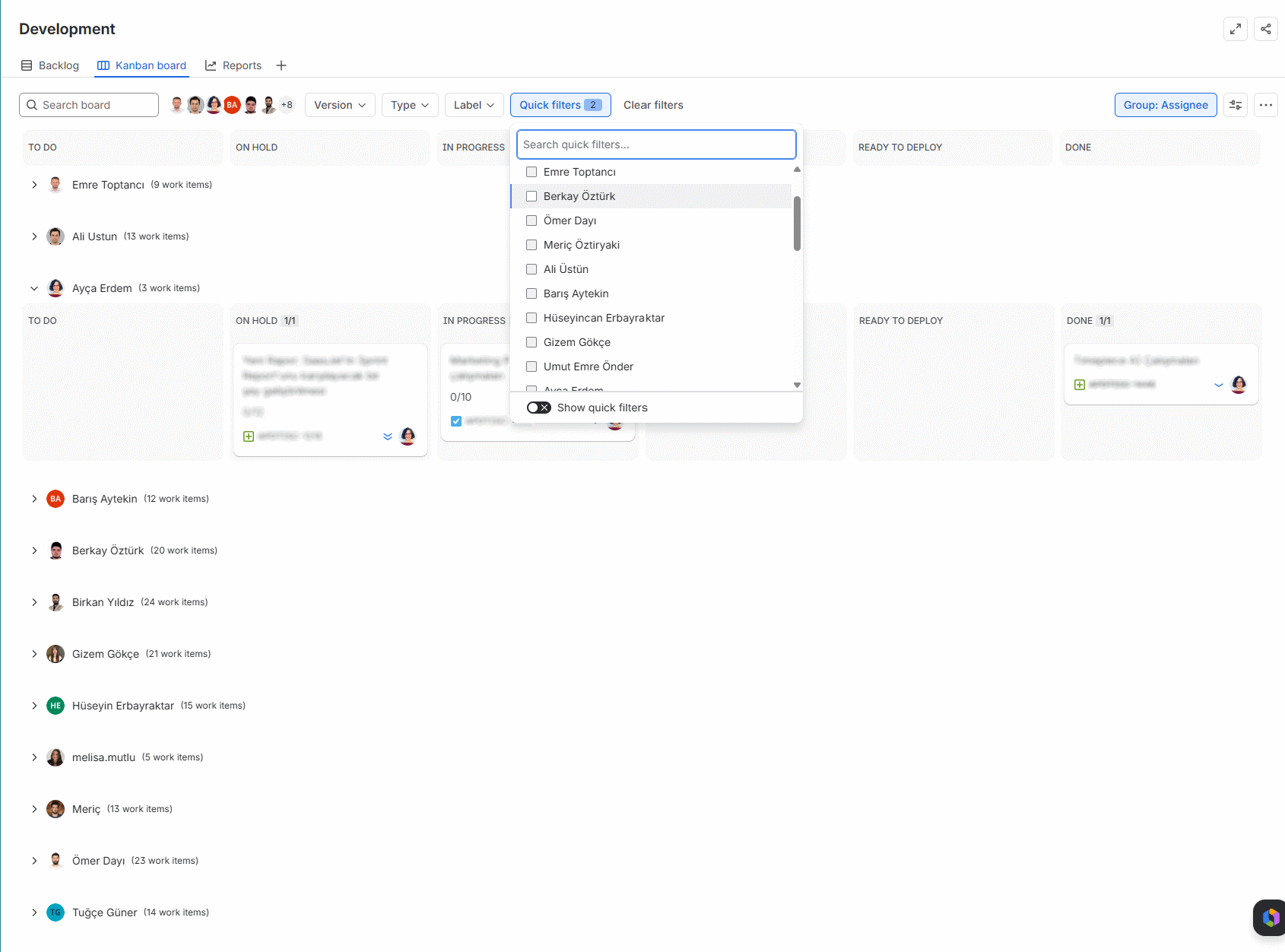
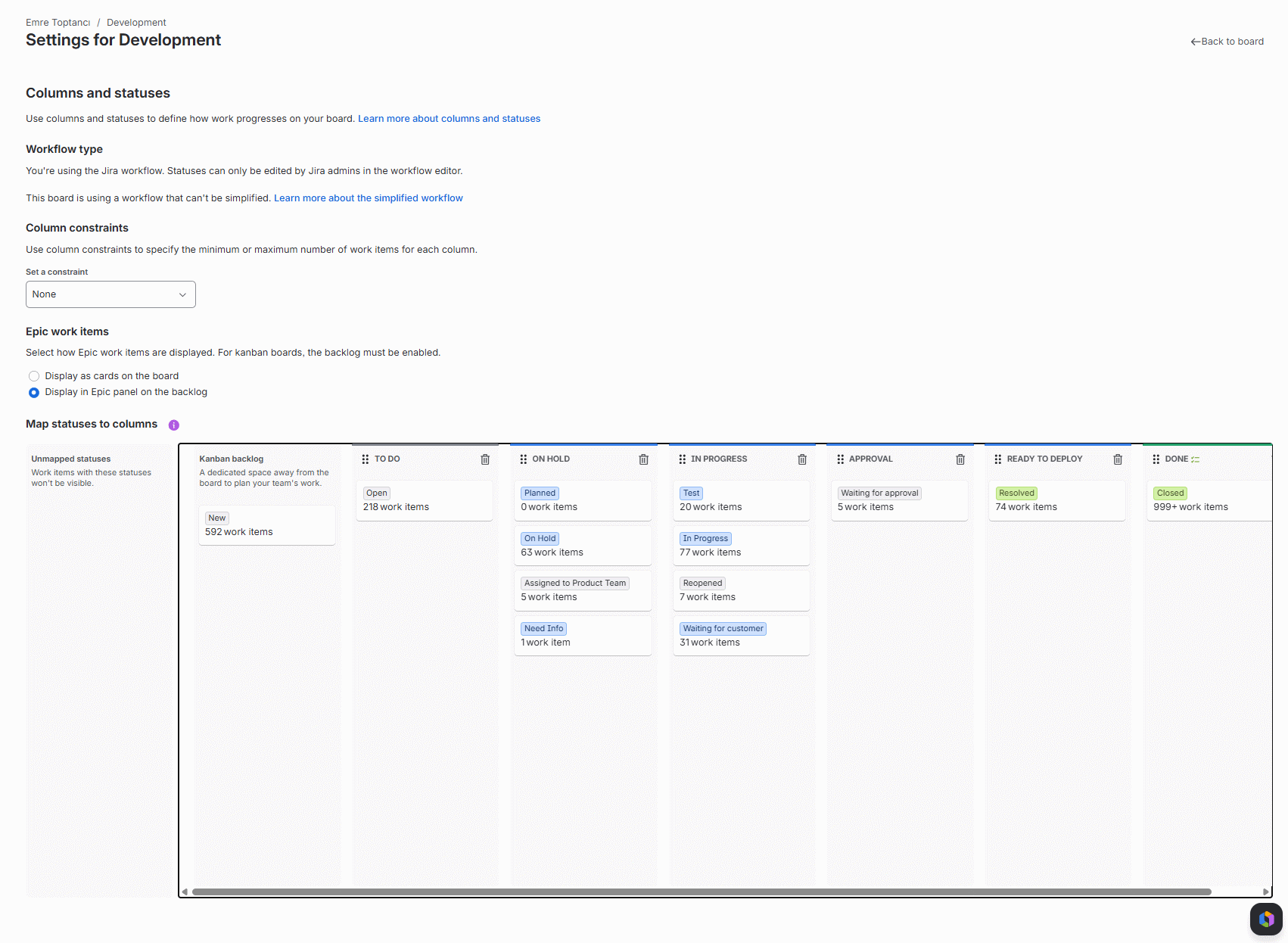
Our Definition-of-Done (DoD) includes all implementation tasks as well as documentation and marketing preparations, but we decided not to create separate workflow steps for analysis, development, testing, and documentation.
In our way of working, only the distinction between the development of a task (analysis, development, testing) and the release preparations after development (end-user documentation, marketing materials, release notes, etc.) was important. For this reason, we only use two columns named “In Progress” and “Approval.” Whether it is analysis, coding, or testing, every work item with an ongoing implementation sits in the "In progress" step. Items that have finished development and passed testing, but are waiting for other approvals and documentation work before going live, wait in the "Approval" step.
The Ready To Deploy column is used for tasks that have their DoD completed and are ready to be released. Tasks that are actually released are advanced to the "Done" column.
Keeping the Board Clean
A sub-filter-query is used for the Kanban Board in the following way:
(status not in (Done, Closed) OR updated > -7d)
Because of this query, items that are closed and released continue to stay on the board for another 7 days. After that, they automatically drop off. Even if it has been released, when a change is made to an item, it becomes visible in the closed column again for 7 days. This provides our team with a 7-day visual safety net to monitor recent deployments without permanently cluttering the board.
Backlog
The very first step of the workflow, "New," is not represented on the board. That one is used as the backlog. Whenever planning (or even consideration) begins on any item, it is advanced to the next stage (Open) to ensure it becomes visible on the board.
Definition of Done
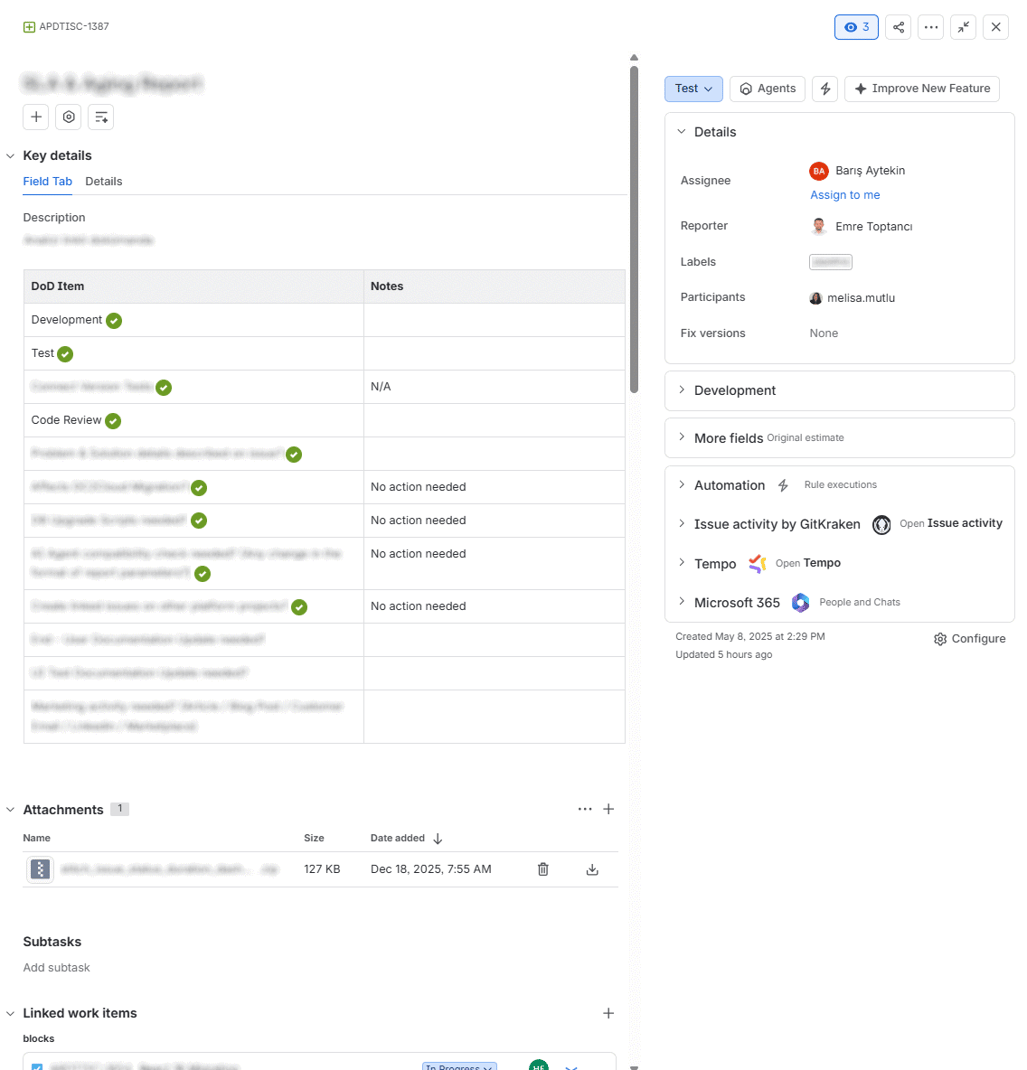
A template rich text table was prepared for the Definition of Done, and this is used simply by a "Copy & Paste" to place it into the Description area of the records. As tasks are finished, they are marked with green check icons, making it visually easy to track which tasks are completed. When necessary, new rows are dynamically added to this table on a task-by-task basis. At the time of release, DoD items are manually checked for missing actions.
Scaling
Since this configuration keeps the boundaries of tasks in work items and uses Jira’s releases to group them, it can be scaled to an enterprise level where each team has its own board, columns, DoD, and way of working; and progress can still be planned and tracked at a higher level.
Conclusion
Maintaining clarity does not require complex configuration or rigid workflow rules. By relying on simple visual cues and clear ownership, we keep our workflow moving efficiently. Ultimately, the best Jira configuration is the one your team actually uses. Start small, observe your real-world bottlenecks, and adapt your configuration to serve your people, not the other way around.

Kanban vs. Scrum vs Scrumban: A Comprehensive Guide to Agile Workflows

Exclude Non-Working Hours from Jira Time Reports with Timepiece