By
Emre Toptanci
on 06/08/2024, 11:09
Last updated on 9/28/26, 11:12 PM

You asked for it, and it’s here. The latest Jira Cloud release for Timepiece - Time in Status for Jira brings one of our most requested features: sorting report rows by duration.
Tracking how long issues stay in a specific workflow step is a core part of Agile performance analysis. Now, we are making that data easier to read and prioritize. Instead of manually scanning through hundreds of rows to find outliers, you can order your entire report with a single click.
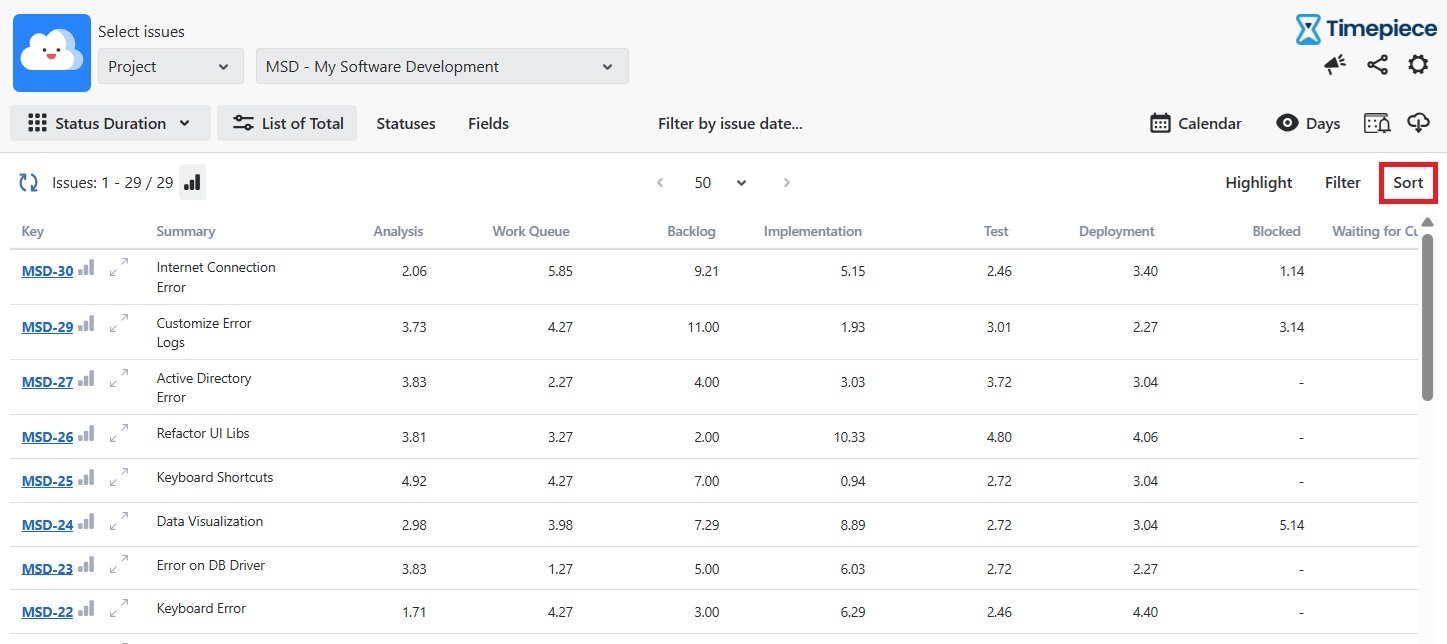
Identifying Workflow Bottlenecks Instantly
Sorting by duration transforms raw data into actionable insights. You can organize your Status Duration reports based on the exact time spent in each status. This helps Agile teams instantly spot which issues take the most or least time in a specific step. For example, a Scrum Master can sort the "In Progress" column to pinpoint tasks that are dragging down sprint velocity. A QA lead can sort the "In Testing" column to find bugs that are taking too long to verify.
You can apply this sorting to a simple, single status or use a consolidated column that groups multiple statuses together. Both options are fully supported and instantly calculate the correct order.
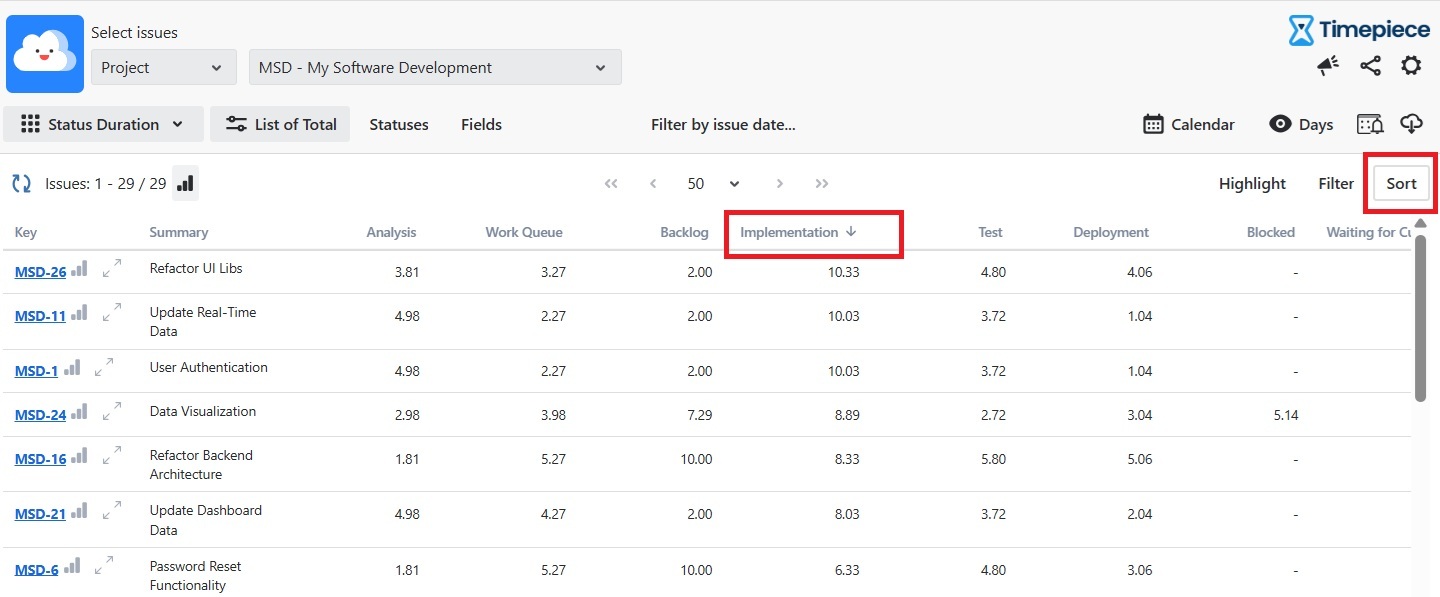
Sorting Data on Your Terms
We designed the interface to be intuitive and fast. You do not need to navigate through complex settings menus to organize your metrics. You have two direct ways to sort your reports: Click directly on the column header you want to sort. Use the dedicated Sort button located on the right side of the report table. Clicking the header toggles the data between ascending and descending order. This simple interaction lets you quickly flip between the fastest completed tasks and the most delayed issues in your backlog.
Seamless Integration with Jira Dashboards
Your reporting needs go beyond the main application screen. The new sorting feature is fully integrated into your Jira dashboard gadgets. When you configure a Time in Status gadget for your team's daily stand-up, the duration sorting works exactly the same way.
The feature also supports all of our core output types: List, Average, or Sum.
Consistent File Exports for Stakeholders
Sharing performance metrics with stakeholders often requires exporting data outside of Jira. We ensured that your file exports perfectly match your on-screen configuration. When you apply a specific sort order to a duration column on your dashboard, that exact order automatically applies to your downloaded files. This eliminates the need to re-sort or reformat data in spreadsheet applications before presenting it to your management team or clients.
If you want to see exactly how to set this up step-by-step, check out our documentation page.
Trusted by over 5,000 customers globally and operating as an ISO27001 certified vendor, Timepiece is available on the Atlassian Marketplace. To explore Timepiece today, book a demo, or start your 30-day free trial.

Report Time Spent in Each Sprint with Timepiece for Jira

New release loaded with features for Time in Status for Jira Server and DataCenter