By
Emre Toptanci
on 06/08/2024, 11:09
Last updated on 7/24/26, 5:02 PM

When your teams sit in different time zones, Time in Status reports get complicated fast. Timepiece – Time in Status for Jira tracks metrics like Cycle Time, Lead Time, and Resolution Time and lets you build reports around your team's real business calendar, excluding non-working days and hours if you need to.
But what happens when two teams on the same issue work in two different time zones? Quick answer: Timepiece - Time in Status for Jira handles this two ways. Build a separate calendar per team and run separate reports, or build one shared calendar and run a single combined report. Which one you use depends on whether you want to judge each team on its own, or see the process as a whole.
Challenges of Time in Status Reporting Across Time Zones
Reporting gets harder once teams in different time zones work on the same issues. A few things get in the way: One team is on the clock while the other isn't, and it flips the other way around too. Business hours differ by region, so even a single team's calendar needs the right hours, not a generic 9-to-5. When both teams touch the same issue, whose time zone does the report use? Get the calendar wrong, and your numbers will be wrong too. Sometimes by hours, sometimes by a full day.
How Timepiece Handles Time in Status Reports Across Time Zones
Timepiece supports two approaches. Each gives you a different view of the same work.
Say you're running a "Follow the Sun" service desk, one team hands off to the next as its workday ends, with a team in New York (UTC-5) and a team in Mumbai (UTC+5:30). How do you report on that?
Option 1: A separate calendar for each team
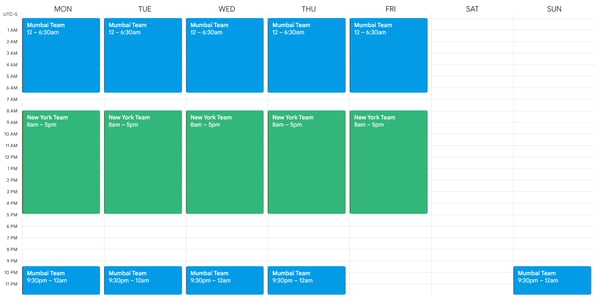
Build a calendar for each team's work hours, and run a Time in Status report against each one. Both teams work 08:00–17:00 local time on weekdays, 9 hours a day. Here's what their calendars look like:
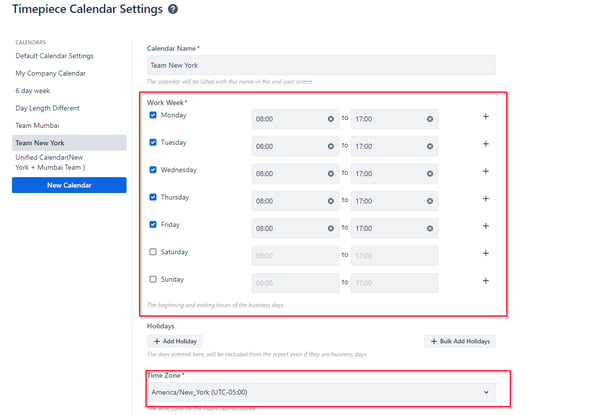
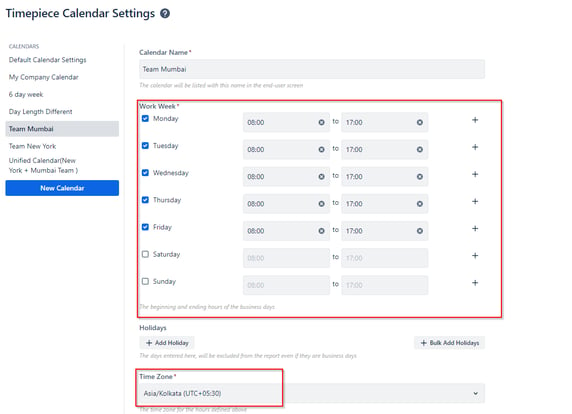
This lets you look at each team on its own, without the other team's hours mixing in. Use it when you want to check one team's performance specifically.
And you can get separate reports based on these calendars:
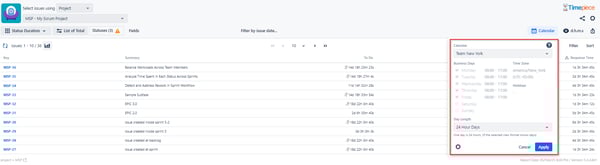
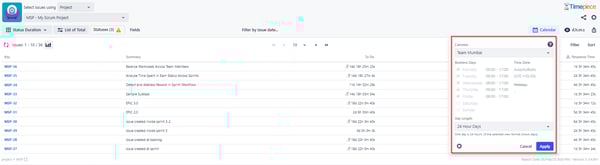
Separate reporting allows you to analyze each team’s process separately, completely excluding the other team. This type of reporting is beneficial when you want to focus on one team and assess the performance of their process.
Option 2: One unified calendar
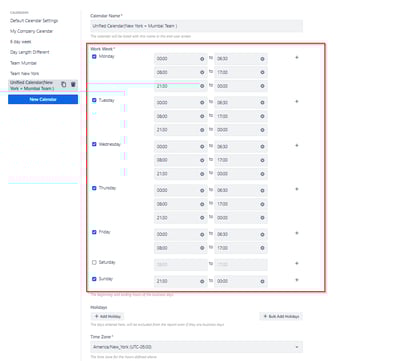
Or build a single calendar that covers both teams' hours, converted to one time zone, and run one report for both. Here's the conversion, with New York on standard time (UTC-5): Mumbai starts work at 08:00 (UTC+5:30). That's 21:30 the previous day in New York. Mumbai ends work at 17:00 (UTC+5:30). That's 06:30 the same day in New York. One thing to watch: India doesn't observe daylight saving time, but the US does. When New York shifts to EDT (UTC-4) for part of the year, that second conversion moves to 07:30 instead of 06:30. If your calendar uses a fixed offset, check whether it needs updating when US clocks change — otherwise your "unified" hours will be off by an hour for several months a year.
Here's what the combined calendar looks like in Timepiece:
You can use this calendar to get a unified Timepiece report that covers both teams.
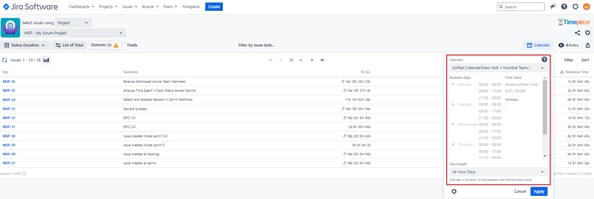
This shows you the process as a whole. Use it when total service performance matters more than any one team's numbers. One more thing worth building into either calendar: local holidays. New York and Mumbai don't share a holiday calendar; Thanksgiving isn't a day off in Mumbai, and Diwali isn't a day off in New York. Timepiece lets you exclude non-working days as well as hours, so it's worth adding each team's holidays to their calendar, not just their work hours.
FAQ
Can Jira report on time in status across multiple time zones?
Not on its own. Jira doesn't have a built-in way to split or convert time in status by time zone. An app like Timepiece handles itthrough custom calendars, either per team or shared across teams.
What's a "Follow the Sun" support model?
A setup where support work passes between teams in different time zones so coverage never stops: one team picks up right where the other team's day ends.
How do I exclude weekends and holidays from a Jira time report?
Define a business calendar in Timepiece with your team's working days, hours, and holidays, then run reports against it instead of a default 24/7 clock. See how to exclude non-working hours.
Wrapping up
Time in Status reports across time zones take some setup, but they're not a guessing game. Timepiece lets you build calendars per team or one shared calendar, then choose separate or unified reporting depending on what you're trying to see.
Want to try it? Start a 30-day free trial — Timepiece is free on Cloud for teams up to 10 users — or book a demo if you'd rather walk through it with us first.

Timepiece - Time in Status for Jira: Atlassian Forge Migration Guide

Jira Time in Status Meets AI: Timepiece Assistant