By
Emre Toptanci
on 06/08/2024, 11:09
Last updated on 9/29/26, 2:23 AM

This weeks release of Timepiece - Time in Status for Jira Server edition introduces two new features:
The first one is “async exports”.
Up until now, file exports were running synchronous. That means the file export process started when you triggered the operation and and the same request returned the file when completed. The wait in between could be quite long for large datasets. There was no way to track progress and there was no option to leave the screen and come back later.
With the introduction of “async exports”, a user will start an export and Timepiece will prepare that export file in a background process. The newly introduced “Previous Exports” tab in the export window will show all current and previous exports. The same tab will show the progress of each export and allow the user to download the file when completed or cancel a running export.
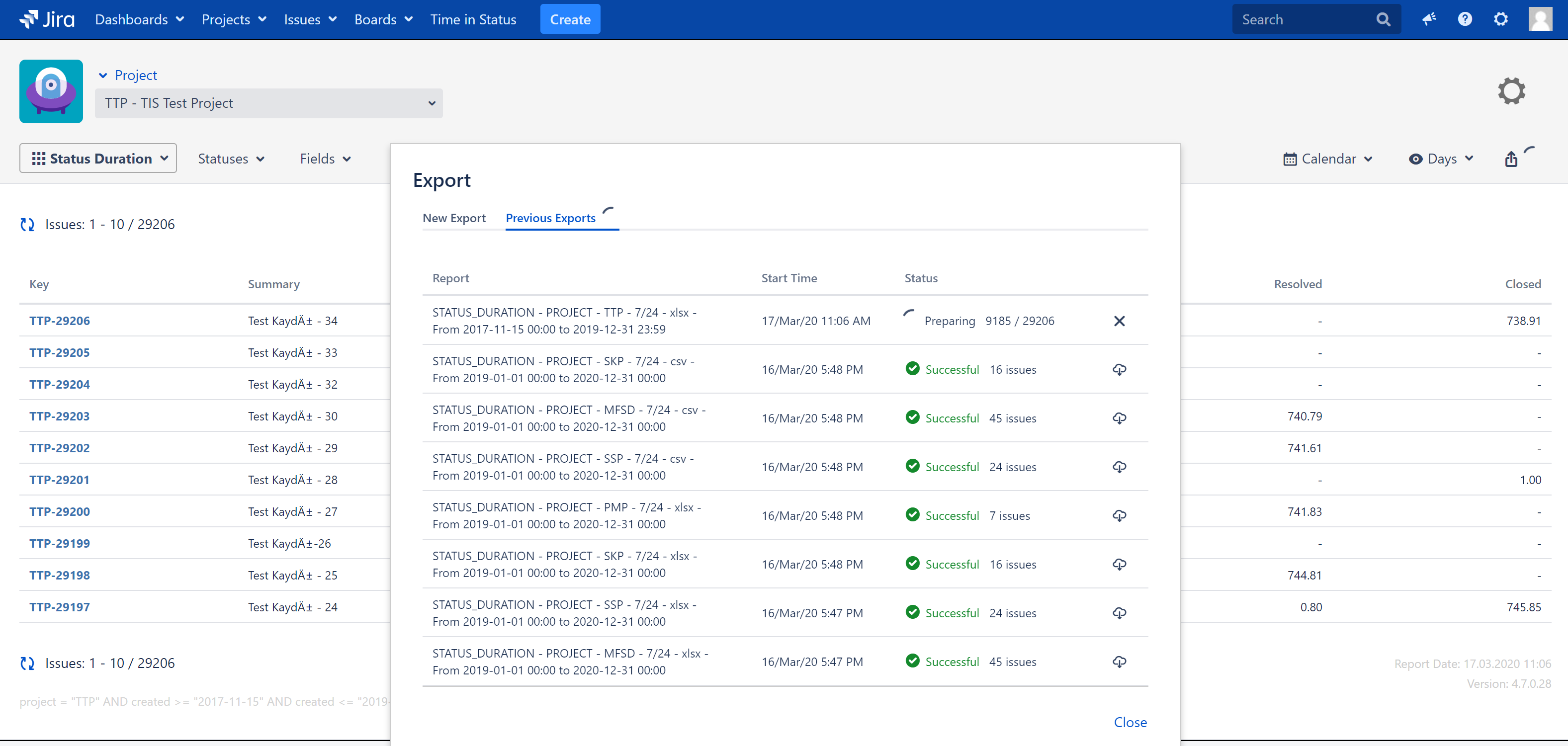
This also allows the users to leave the screen. You can start and export and close you computer. Open it again the next day and get your file.
Admin Export Management Screen
The second new feature is “Admin Export Management Screen”, which is a companion to the first one.
This screen is located under the Admin Pages of Jira and allows admin to see all exports running on the system, all exports from all users.
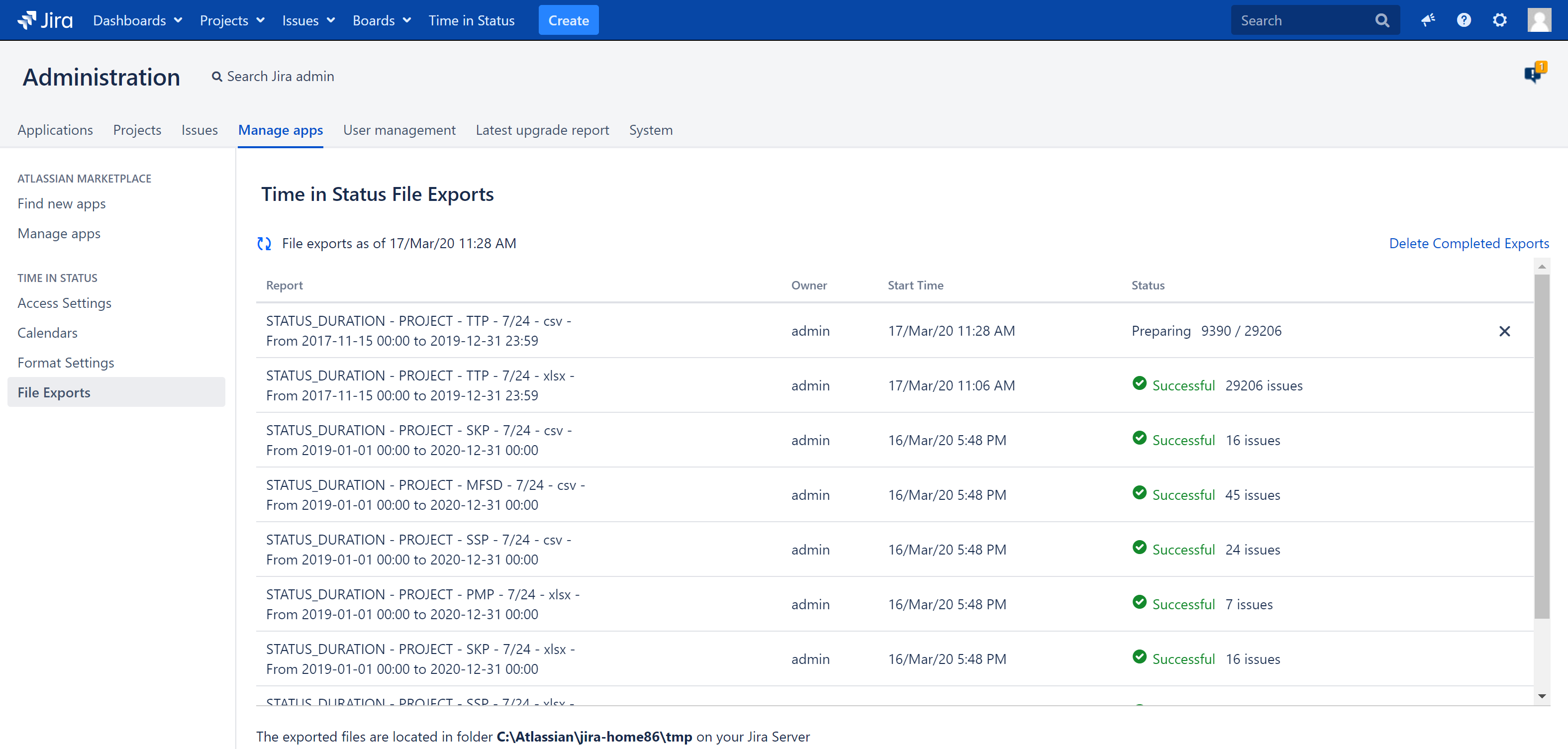
The admin can see all exports (running and completed) and cancel any one of them if considered to be necessary.
For data security reasons, admin is not allowed to download the files from this page.
In time, completed file exports will stack up on this screen so this screen also allows the admin to delete old export files, both from the screen and from Jira Server.
These features will improve the export experience for many users and will also serve as a technical stepping stone for other features to come, especially “average reports from UI”.
Learn more about Timepiece - Time in Status for Jira on the Atlassian Marketplace and start your 30-day free trial.
You can also check official documentation page, or book a demo with one of our experts, for free.
A Quick Reminder About Jira Server
According to Atlassian’s official timeline, support for all Server products ended onFebruary 15, 2024. Atlassian no longer provides technical support, security updates, or bug fixes for any Server installations. To ensure your systems remain secure and to get access to new app features like async exports, Atlassian requires all teams to migrate to either Jira Cloud or Jira Data Center.

How to Query and Export Jira Issue History: A Complete Guide

Automate Jira Reporting with Excel and Google Sheets Integrations